The Golden Configuration: A Natural Gas Utility's Digi IX30 Upgrade
A natural gas utility serving more than two million customers across the central U.S. and Great Plains needed to replace an aging fleet of cellular routers at its remote field sites. Choosing the replacement hardware was step one. The larger task was getting roughly 3,500 routers configured identically, tested, and ready to install without overloading their small technical team.
INS partnered with Digi to move the utility from Digi WR21 routers to the Digi IX30 industrial cellular router. We then built a provisioning workflow in Digi Remote Manager that configures hundreds of routers in an hour or two — done by hand, that job takes about 25 minutes per router.
Why did this gas utility need new cellular routers?
This customer operates an extensive pipeline distribution network serving residential, commercial, and industrial customers. Safety, system reliability, infrastructure modernization, and regulatory compliance drive its technology decisions.
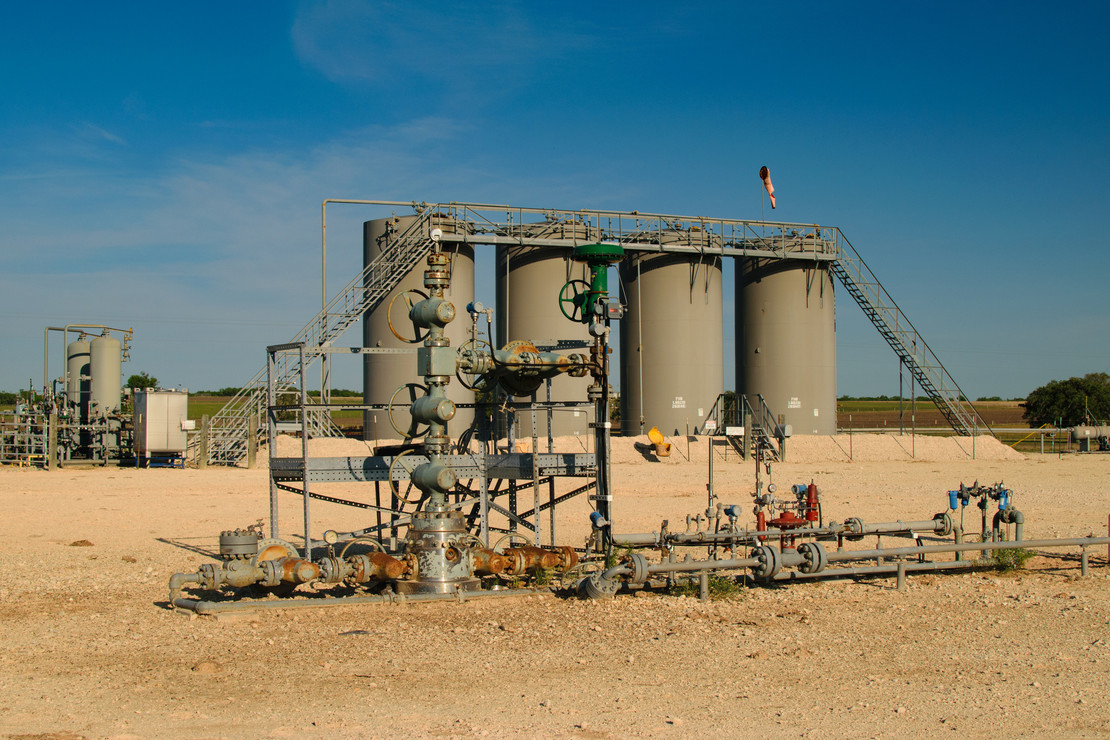
It relies on Digi cellular routers for remote pressure and flow monitoring. The routers connect pressure transmitters, flow meters, and PLCs at remote stations and distribution facilities. They also let technicians troubleshoot communications, check device status, and perform authorized maintenance without dispatching a field crew. Fewer truck rolls means lower maintenance costs across a service area that spans several states.
Ongoing regulatory compliance gave the utility a reason to upgrade its older field fleet to a platform still covered by hardware warranty and still receiving security patches. For any operator with remote assets, routers that no longer get patches leave a gap in industrial cybersecurity at every site they connect.
How did INS start working with this customer?
INS was introduced to this customer by an OEM manufacturer that was dealing with long lead times and component shortages. We brought in Digi products, starting with the WR21 platform, and they’ve relied on INS and Digi ever since.
That history shaped this project’s success. Their team counts on both partners to bring product portfolio updates, so it can move to the latest and most secure platforms as they become available. Replacing the WR21 field fleet was the next step in that plan.
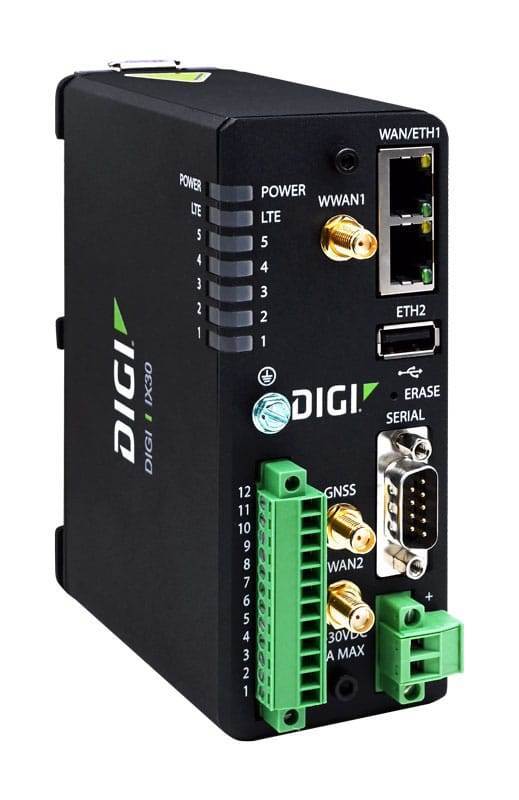 |
Why choose the Digi IX30?The Digi IX30 is an industrial 4G LTE cellular router built for critical infrastructure. It has an RS-232/422/485 serial port for legacy device communications and Ethernet for upgraded field equipment. One router can serve both kinds of equipment, which is important when upgrading field devices over time. They also use Digi Remote Manager (DRM) for centralized fleet management and secure access. From one platform, the team can configure, monitor, and maintain routers deployed across the area. |
How did INS provision the routers with Digi Remote Manager?
We put together an expert team of network engineers to provide technical support and develop, test, and validate device configuration. Additionally, our provisioning team prepared the devices before shipment — confirming they work, loading customer-approved configurations, and installing the correct firmware.
The project followed a few key steps:
- Build the workflow. We worked with the customer to develop a standardized workflow in Digi Remote Manager. It applies their approved golden configuration, system firmware, and cellular modem firmware to every IX30. The team drew on its WR21 experience to set cellular modem, failover, and firewall settings in DRM.
- Test internally. INS validated the workflow in-house before any device left the building.
- Field-test samples. We configured a few sample routers and shipped them to the utility. Their team tested the devices with its own application and gave the green light.
- Provision at scale. We used the validated workflow to apply configurations and firmware updates to hundreds of routers at a time.
A significant share of the early work went to resolving cellular modem issues with Digi support. INS handled those escalations directly, so the utility's team did not have to. Once the issues were resolved, the process ran smoothly for the remaining devices.
How much time does Digi Remote Manager provisioning save?
Configured manually, each router takes about 25 minutes. With the workflow INS built in Digi Remote Manager, the Provisioning team completes hundreds of routers in an hour or two. Typical rollouts for this utility ran 600 to 800 routers each.
|
Manual configuration |
INS workflow in Digi Remote Manager |
|
|
Time |
About 25 minutes per router |
Hundreds of routers in an hour or two |
|
Method |
One device at a time |
Batch updates from one platform |
|
Who does the work |
The utility's own staff |
INS Provisioning team, before shipment |
|
Typical rollout |
600 to 800 routers |
600 to 800 routers |
Without INS, the utility would have had a team of one or two people configuring roughly 3,500 devices at a central location. Organizations new to Digi Remote Manager also face a learning curve, and most have limited technical staff to absorb it during a major rollout.
What did the customer gain from the upgrade?
The biggest value we delivered to the customer was really the ease of deployment. Instead of having to configure and update hundreds of routers themselves, they could rely on INS to handle that technical work upfront.
- Routers ready on arrival. Devices arrived fully configured and ready to deploy, often ahead of schedule.
- Time back for field work. The utility's team could focus on installing routers and getting sites operational.
- A consistent fleet. Every router runs the same approved configuration and firmware versions.
- One point of contact for issues. INS handled testing and Digi escalations in the background.
What does this mean for other utilities and field operators?
A fleet refresh is usually justified by hardware: warranty coverage, security patches, newer interfaces. The labor behind it is easy to underestimate. If your team would need to configure hundreds or thousands of cellular routers by hand, or learn a new management platform mid-rollout, significant time will go towards proper provisioning.
INS Provisioning & Kitting Services prepare routers, gateways, and modems before they ship, with firmware, network settings, and SIM and APN configuration loaded and tested. For fleets with a longer horizon, Network Device Lifecycle Management Services plan for the next upgrade before the current hardware ages out, and INS CARE offers ongoing managed support after deployment.
INS has designed, delivered, and managed wired and wireless networks for OT environments for more than 25 years. We supply more than 70,000 cellular routers, gateways, and modems each year — which is part of why Digi named INS its 2025 North American Partner of the Year.
Planning a cellular router upgrade?
If your organization is replacing a field router fleet, INS can help you choose the hardware, build and test a standard configuration, and deliver routers ready to install. Talk to an INS expert about your public cellular network and deployment timeline.
FAQs
What is Digi Remote Manager?
Digi Remote Manager is Digi's cloud-based platform for managing deployed Digi routers. Teams use it to configure, monitor, and maintain devices from one place, including applying configurations and firmware updates to groups of routers at once.
What is the Digi IX30 used for at gas utilities?
In this deployment, the Digi IX30 connects pressure transmitters, flow meters, and PLCs at remote stations and distribution facilities. It supports remote pressure and flow monitoring and lets technicians troubleshoot and maintain equipment without a site visit.
Can the Digi IX30 connect to legacy serial equipment?
Yes. The Digi IX30 has an RS-232/422/485 serial port for legacy devices and two Ethernet ports for newer equipment, so one router can support both during a phased upgrade.
How long does it take to configure a cellular router manually?
In this project, manual configuration took about 25 minutes per router. Using a standardized workflow in Digi Remote Manager, INS configured hundreds of routers in an hour or two.
Why replace cellular routers that still work?
Older routers can fall out of hardware warranty and stop receiving security patches. For utilities with ongoing regulatory compliance obligations, moving to a supported platform keeps field connectivity covered and patched.
What does INS do to routers before they ship?
The INS Provisioning team confirms each device works, loads the customer-approved configuration, and installs the correct system and cellular modem firmware. Routers arrive ready to install.
Who handles manufacturer issues during a deployment?
On this project, INS worked directly with Digi support to resolve cellular modem issues before scaling up, so the utility's team did not have to manage those escalations.
Related Case Studies
Always On, Even Off-Grid: A Gas Utility's Connectivity Story · From Mismatched Fleet to Modernized Standard: An INS Oil & Gas Case Study
About the Author
 |
Mark Allen, Territory Account Manager Mark Allen is a Territory Account Manager at INS, covering North Texas, Oklahoma, Arkansas, Kansas, Missouri, and Nebraska. In his 14+ years with INS, he's worked across every stage of the sales organization before taking on his current Central U.S. territory in 2022. That path has given him firsthand experience with the full range of connectivity challenges facing utility, oil and gas, and industrial customers, from initial network design through large-scale field deployment. Mark holds a B.B.A. in Business Administration from Texas Tech University.
|